

Maggie Chan is VP of Product Design & Research at ClickUp. She began her career as a visual and brand designer for web, mobile, print, and 3D retail displays before transitioning to data visualization and UX at BlueDot. From there, Maggie joined product design at Uber and also held product consultancy roles at companies such as Headspace and Bloomberg. Before her current role, she served as Head of Design at ‘nuffsaid, a workspace for customer-facing teams, which was later acquired by ClickUp.
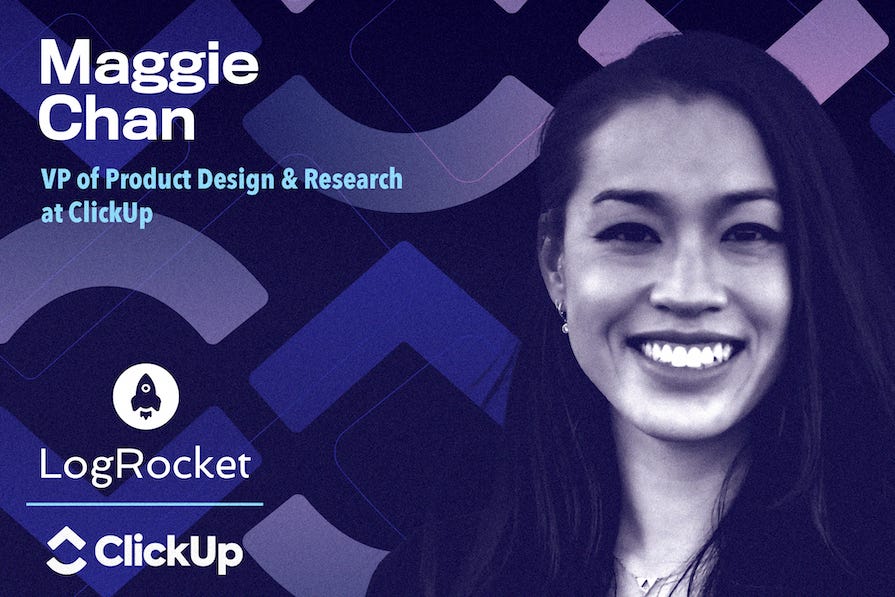
In our conversation, Maggie discusses what it takes to build AI-native product teams, including creating shared context between humans and AI agents. She talks about why human judgment is still essential as AI takes on more execution, and shares how the role of product design is evolving alongside these new ways of working.
Building an AI-native product development workflow
Can you explain how ClickUp’s agentic PM workflow is different from the way product teams generally use AI?
I think most teams right now are bolting AI onto a bunch of disconnected tools. They have documents in one place, chats somewhere else, tickets somewhere else, and while MCPs can help connect all of that, ClickUp approaches it differently.
ClickUp has always been built around bringing your information into one place. We have docs, tasks, videos, voice, and chat, so our AI agents automatically have access to all of that context. That includes years of customer tickets, vision documents, roadmaps, and the conversations behind every decision. It’s basically like a company brain.
What makes our system different is we’re not just accessing years of context; we’re capturing how work actually relates. Our information is connected — the relationships between the work are already modeled. If there’s a task that’s tied to a PRD, that relationship already exists. The conversations that led to that decision are connected too.
So it’s not just connecting a Google Doc to a Slack message. It’s connecting a specific customer request to a vision document, to the task, to the internal conversations, and decisions made behind it. Because AI is built directly into the platform, it automatically inherits all those relationships. We still integrate with outside tools, but all of our core context already lives inside ClickUp. That makes AI much more effective at producing better outputs and making better decisions.
You’re building these workflows inside the same product your teams use every day. How does that shape what you build?
I love that because it’s really unique to us. We literally live in ClickUp 40 hours a week, at least five days a week. The product is incredibly deep, so we know all the ins and outs, which lets us think creatively about extending features or connecting different capabilities. We also have our own needs that often mirror our customers’. ClickUp is designed to be flexible, so we’re constantly asking, “What if this feature connected to another feature?” or “What if this workflow worked a little differently?”
What’s interesting is that EPD isn’t even our primary customer. Marketing, go-to-market, customer-facing operations, IT — everyone uses ClickUp differently. We get to watch those teams work, hear feedback in real time, and understand a wide range of use cases across the company. It’s super fun to be so familiar with our product and use it in action without any barriers.
One of the biggest advantages is that we also feel our customers’ pain immediately. If something breaks, regresses, or loads slowly, we’re the first to notice. We’ll release a feature internally, everyone starts using it immediately, and we’ll hear, “That was really useful,” or, “That disrupted something I rely on every day.” Now, with coding agents, we can often create and test fixes almost immediately. We design something, use it ourselves, collect feedback, iterate, and repeat — all in real time.
Do you ever have to step back because your team uses the product differently than customers?
Absolutely. We’re super power users, but we’re not representative of typical users. It’s especially important when thinking about onboarding or first-time experiences. We designed the product, so creating an agent feels obvious to us. A new customer doesn’t have that context. They may not know how to set one up, what information it has access to, or why it behaved a certain way. That’s why we spend a lot of time observing how customers actually experience those workflows, rather than assuming they’ll use the product the same way we do.
Creating shared context between humans and AI
When work is divided across multiple agents, how do you build the context layer that keeps decisions connected?
Everything that’s documented can become context for AI, including the activity and relationships between how things are documented. The core building block is the task. A task is just a data object that contains a description, metadata, assignees, due dates, and surrounding context. Then you have the chat activity connected to that task. That’s where people — and agents — discuss decisions, iterate, and record what happened. Explicitly linked documents or connected tasks are secondary, and then workspace data acts as the tertiary layer.
Those pieces together form the immediate context an agent needs. From there, you expand outward. A task can be connected to vision documents, process documentation, or other related tasks. Beyond that, agents can reference broader workspace knowledge like research repositories, historical customer requests, NPS data, or CSAT data. The important part is that those relationships are explicit rather than implied.
How do you maintain continuity as work moves from research to PRD to design and engineering?
We try to capture as much context as possible. Our meeting notes are automatically recorded by our AI note taker, stored in docs, and linked back to the relevant tasks. The task becomes the central record that connects documentation, conversations, and activity throughout the project.
Another important piece is having agents write their work back into the task as they complete it. For example, a research planning agent might generate a research plan and leave it as a comment on the task. Another agent can then read that plan, launch the study, and append its own work back into the same record. An analysis agent can then generate a report and attach that as well. Instead of losing information between handoffs, every step becomes part of the same thread. You can follow the workflow from beginning to end because the context stays attached to the work itself.
When human judgment still matters
If agents are handling so much of the work, what does the human PM’s day actually look like inside of that same system?
There are still many complex problems for humans to solve. Anything that pushes the boundaries of AI systems or UX, for example, is something we think about on a human-to-human basis. A PM might start the day with an AI-generated dashboard summarizing task status, highlighting bugs that need review, or flagging work the system couldn’t confidently categorize. From there, a lot of the work centers on the problems AI couldn’t fully solve.
People still need to carefully review PRDs rather than skimming them — it’s really important to review the agent’s work and catch any mistakes. And if you do catch something, it’s important to go back and improve on the agent’s instructions. If an agent misunderstood a customer request or framed a problem incorrectly, someone has to figure out why, correct it, and feed that learning back into the workflow. Beyond that, product management is still deeply collaborative.
People are working through UX decisions, reviewing prototypes, collecting internal feedback, talking with customers, and understanding what users actually need. We still need to know what our customers are thinking — we can’t offload that to AI. AI can help generate first drafts — a PRD, a prototype, a research plan — but humans still refine the details and make the final decisions.
Can you share an example of a time when a PM has to step in and make the call that an agent can’t?
Anything that’s simple and well understood can be highly automated. The more complex the problem becomes, the more human judgment is required. For example, AI can triage a bug report, gather all of the relevant context, prioritize it, and generate a task with links to the supporting information. But someone still needs to verify the root cause.
Maybe AI identifies what it thinks caused the issue, but we still have to ask, “Is that actually the root problem?” We need to determine whether there’s another underlying cause, what the right design solution is, and whether we’re solving the right problem. If it’s a more complicated UX challenge, AI can generate different approaches or prototypes, but we still have to craft the experience. From there, we can launch user testing, collect feedback, and bring AI back into the workflow to help analyze the results.
Our workflow today is really a spectrum. Simple tasks can be highly automated, while more complex work is much more agent-assisted than agent-driven.
Redefining product design in the AI era
Your background is in human-centered design, but this work is less about designing interfaces and more about designing how teams and AI work together. How has that changed what good design means to you?
It hasn’t really changed the fundamentals for me — at its core, it is about designing the interface between humans and computers. The difference is where we spend our time.
Before, I might have been deciding which component to use, where to place a toggle, or how to structure a workflow. AI can now generate prototypes with different approaches almost instantly, which frees us up to think about higher-level problems. Instead of asking, “How should someone build a prototype?” we’re asking, “How do teams collaborate around prototypes? How do they share them? How do they make decisions together?” As AI removes one user problem, new user problems emerge.
Another interesting shift is designing the tools that help people adopt AI. At ClickUp, for example, we built an internal prototyping playground that lets anyone generate prototypes using our design system. Designing that experience is still fundamentally a UX challenge. You’re trying to understand how to help people adopt a new technology as naturally as possible.
The other thing that’s changed is that we’re no longer designing only for humans. We’re also designing the AI itself. How do you help it produce better outputs? How do you improve accuracy? How do you present those outputs in ways that people understand and trust? Those are new design challenges, but the underlying goal is still the same.
What has surprised you most about building this internal prototyping sandbox?
The rate at which people are learning these things. When we built our internal prototyping playground, we assumed designers would use it because it was a better way to create prototypes than our previous workflow. Instead, within weeks, everyone was using it. It really democratized design and building.
It feels like everyone is coding and designing now. I can pull my product analytics dashboard using natural language now instead of asking an analytics team to build queries. That happened incredibly quickly. It’s also breaking down traditional discipline boundaries. People have spent years becoming experts in design, engineering, analytics, or research, and AI is making many of those capabilities accessible to everyone.
The moment that really changed my thinking was when I asked an AI model how to write a better prompt for itself. It explained exactly how I should ask the question to get a better prototype. That completely changed how I think about learning. Before, there were high barriers to learning things like coding or using the terminal. Now I can paste an error into Claude and ask it how to debug it. That self-learning loop has fundamentally changed how quickly I can develop new skills.
Agentic workflows can introduce as much complexity as they can eliminate. How do you design for reliability and trust in a system where the underlying models and behaviors are still changing week to week?
One thing that’s been important for us at ClickUp is not being afraid to rebuild our processes. When agentic workflows became possible, we didn’t try to force our old product development process to fit the new reality. We rebuilt our entire EPD process around them, and we’re still refining it today.
At the same time, the smaller week-to-week changes require constant feedback loops. If something changes in the model or the output quality shifts, we reflect on it the same way we would in a retrospective. We look at what changed, understand why, and adapt our process.
For trust, making AI’s work visible is incredibly important. We always ask agents to generate artifacts that people can inspect. Reports should include citations. Outputs can have evaluative metrics that we improve over time, which makes it much easier to understand whether a system is actually getting better.
Breaking larger workflows into smaller steps also helps. A research planning agent creates one artifact. A research execution agent creates another. An analysis agent produces its own output. Each step can be reviewed independently, measured independently, and improved independently.
You’ve described the stage that we’re in with AI as people adapting to AI rather than AI adapting to people. What will it look like when that changes?
I’m not an expert in this field, but I think we’re at the very beginning. Large language models were a breakthrough because they created a much more natural way for humans to interact with AI, but I don’t think that’s where the evolution stops. As capabilities improve, we’ll see other breakthroughs that fundamentally change how we interact with these systems.
Memory is one example. Imagine an agent that remembers work from a year ago and automatically brings back the most relevant context. That changes how much we can trust it to work more autonomously. As those capabilities improve, software changes too. Maybe right now it can help me manage my calendar, but I see a future where we tell an agent, “Here’s my money, book me a vacation to Disney World for my four kids and me.” It’ll require little oversight because its reasoning and memory have improved enough that you trust the result.
We’re also seeing interaction move beyond typing into a prompt box. Voice, vision, and multimodal interaction are already becoming more common, and I think those capabilities will continue to make AI feel much more natural to work with.
I used to work on self-driving cars, and one thing that stayed with me is that language models are only one type of AI model. There will likely be future breakthroughs that help machines understand the physical world differently, and each of those capability shifts will change how people interact with technology.
Right now we’re learning how to prompt AI. In the future, I think AI will increasingly meet people where they are instead of requiring people to learn entirely new ways of working. We’re really just scratching the surface.
What does LogRocket do?
LogRocket’s Galileo AI watches user sessions for you and surfaces the technical and usability issues holding back your web and mobile apps. Understand where your users are struggling by trying it for free at LogRocket.com.